Authentication
Issue a scoped API key, send it on either supported header, manage its lifecycle, and understand the layered gate behind the 403 most first calls hit.
Every v1 request is authenticated with a workspace API key. There are no user tokens and no OAuth: a key is scoped to one workspace and acts only on that workspace's data.
Issue a key
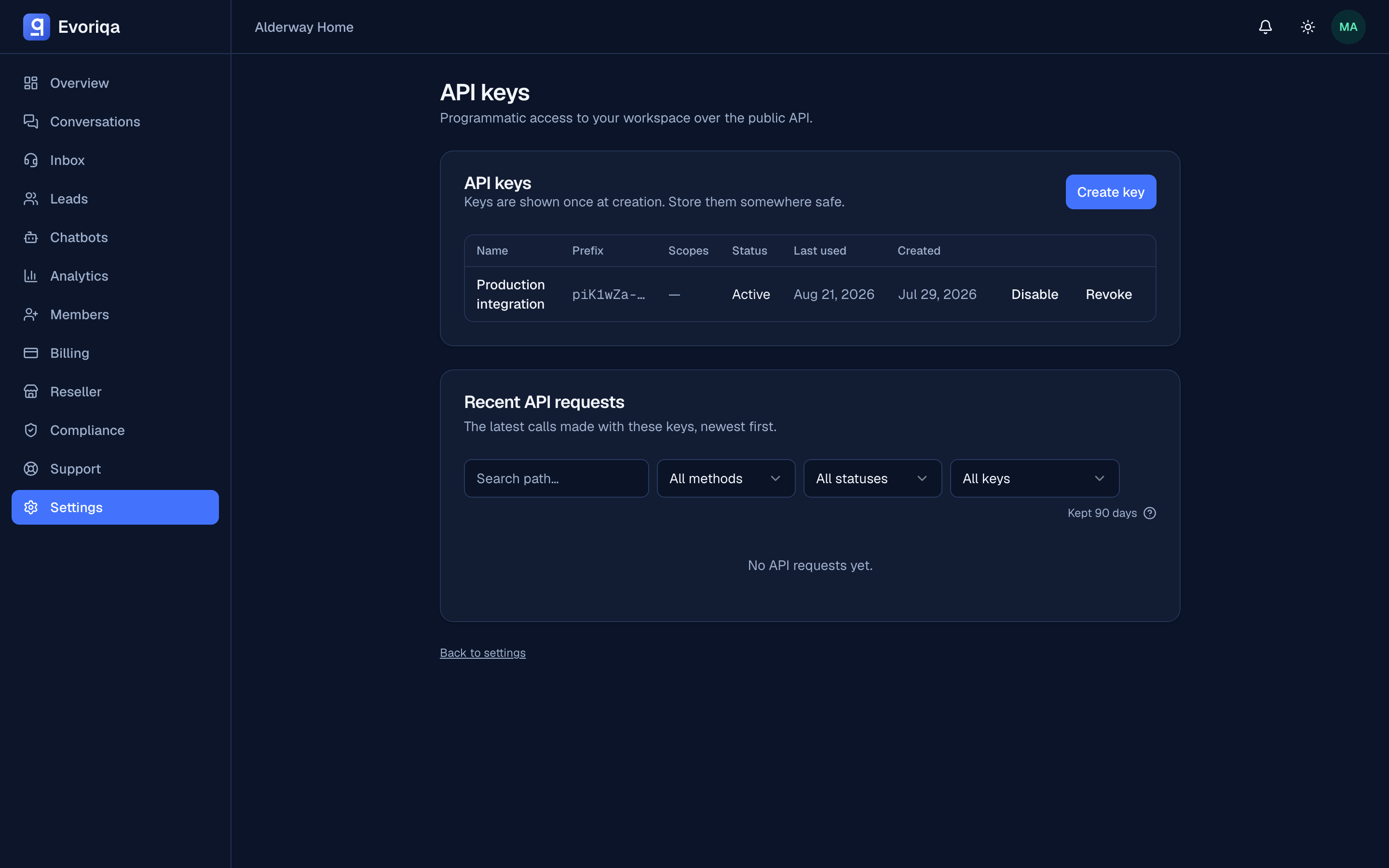
In the dashboard, open Settings → API keys and create one (workspace owner or admin only). Give it a name to track where it is used, and pick its scopes — the subset of the API it may call.
The key is shown once, at creation. Only a SHA-256 hash and a short prefix are stored, so it cannot be retrieved later — copy it into your secret store immediately. Lost a key? Revoke it and issue a new one.
Keys look like this:
blm_<random token>A key's scopes are fixed at creation and immutable — to change scopes, revoke the key and issue a new one with the right set. See Scopes for the registry.
Issuing a key is recorded in your audit log, with the public prefix only — never the key itself.
Send it
Two headers are accepted; use either.
curl https://app.evoriqa.com/api/v1/chatbots \
  -H "Authorization: Bearer $EVORIQA_API_KEY"

# or
curl https://app.evoriqa.com/api/v1/chatbots \
-H "x-api-key: $EVORIQA_API_KEY"const res = await fetch("https://app.evoriqa.com/api/v1/chatbots", {
headers: { Authorization: `Bearer ${process.env.EVORIQA_API_KEY}` },
});
const { data } = await res.json();
console.log(data.data);import os, requests
res = requests.get(
"https://app.evoriqa.com/api/v1/chatbots",
headers={"Authorization": f"Bearer {os.environ['EVORIQA_API_KEY']}"},
timeout=30,
)
print(res.json()["data"]["data"])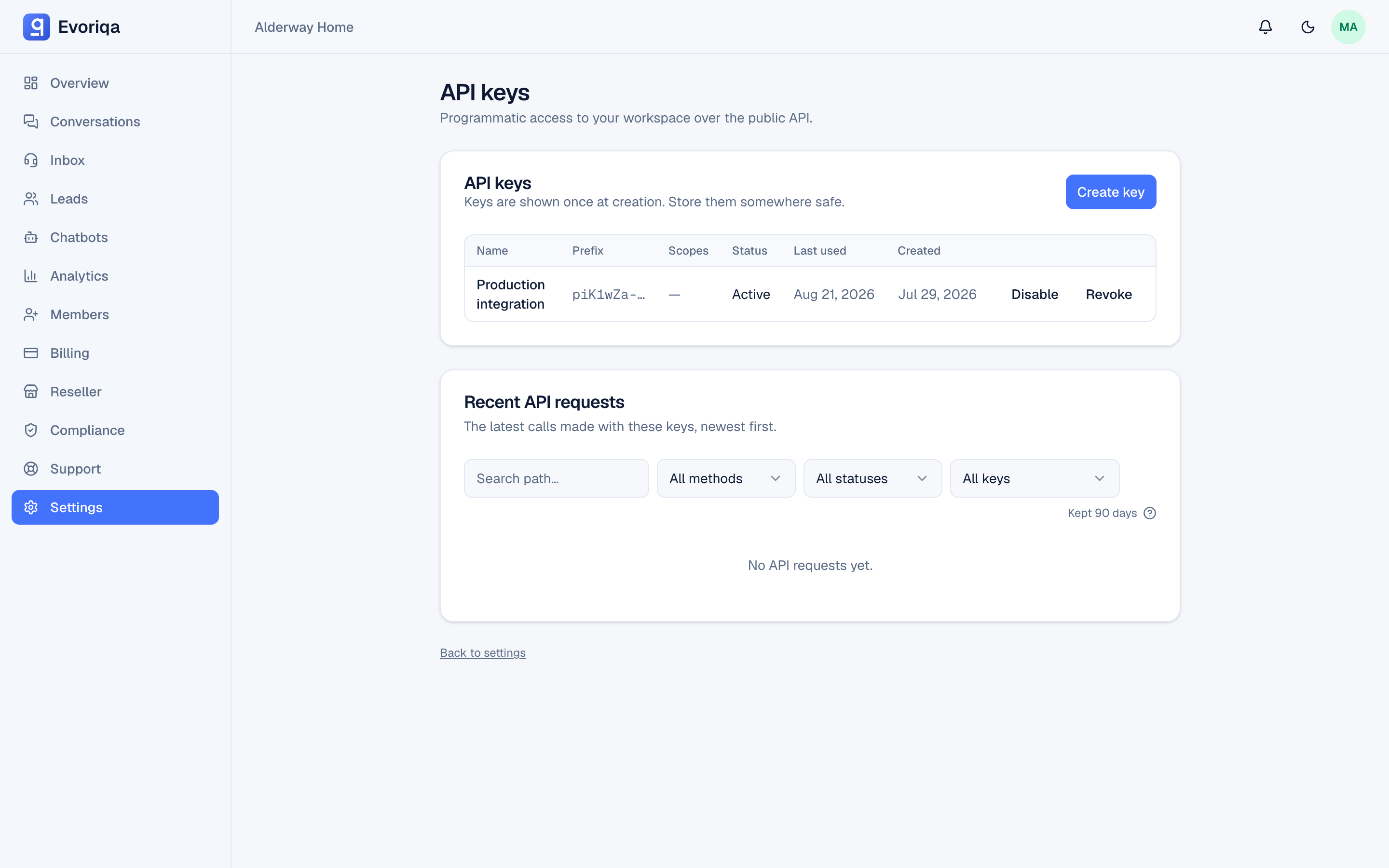
Never hard-code a key, commit one, or ship one to a browser. The API is server-to-server only — it sends no CORS headers — and a key can now write: reply to customers, delete chatbots, change settings. Every sample here reads it from an environment variable — do the same.
The 401s
A request with no key at all:
{
  "success": false,
  "error": {
    "code": "UNAUTHORIZED",
    "subcode": "missing_key",
    "message": "Missing API key."
  }
}A key that does not exist, is malformed, or has been revoked is also 401, with "Invalid API key." and subcode: "invalid_key". A key you have disabled is 401 with "API key is disabled." and subcode: "key_disabled" — a distinct state, because it is your own reversible pause, not a platform action. Branch on the stable `error.subcode` rather than the message text.
API access on every plan
The API is self-serve on every plan — Free, Starter, Pro, and Business (the plans differ only in their per-minute rate limit, not in whether the API exists). Create a key under Settings → API keys and start calling. In the rare case API access is off for a workspace, every request — and every attempt to issue a key — returns:
{
  "success": false,
  "error": {
    "code": "FORBIDDEN",
    "subcode": "api_access_disabled",
    "message": "API access is not enabled for this workspace."
  }
}Retrying will not change it. When it happens:
- Clients of an agency or reseller — this is the usual case: your provider controls API access, and a resold client's API is off by default until the reseller turns it on for your client workspace. Ask them; see Per-client API access.
- Direct customers — the API is on for your plan, so this only appears if access was switched off for your workspace. The Settings → API keys page names the reason.
The message is deliberately the same whatever the underlying reason, so treat it as one condition: "API access is off for this workspace".
Enabling takes effect immediately on keys that already exist — access is checked live on every request, so you do not need to reissue anything once it is switched on.
Key lifecycle: disable, revoke, rotate
Settings → API keys manages the whole lifecycle:
- Disable — a reversible pause. The key rejects requests with
API key is disabled.until you re-enable it. Use it to stop an integration without destroying its key. - Revoke — permanent. Revocation is immediate; the next request with that key is
401 Invalid API key., forever. Revoking an unknown or already-revoked key returns404rather than reporting a false success. - Rotate — issue the new key, deploy it, then revoke the old one. There is no in-place rotation, because scopes and the secret are fixed at creation.
The same page shows each key's request log — every v1 call made with it, including the ones that fail auth or hit a limit (401, 403, 429). A failed auth made with a real key (wrong secret, revoked, disabled) is logged to that key's own workspace, so you can see abuse of your key even when the call never got past authentication. Each row records the method, path, status, latency, and a SHA-256 hash of the caller IP (never the raw address). Filter by path or by an exact status (for example, everything that returned 401). Rows are kept for up to 90 days — and sooner if your workspace's data-retention window is shorter. Use it to confirm what an integration actually did before revoking its key.
Where to go next
Last updated