Data retention
Set how long finished conversations are kept, what the purge deliberately never touches, and the separate account-deletion windows.
By default a workspace keeps its conversations indefinitely. The retention setting turns that into an automatic purge of old, finished threads.
The setting
Compliance → Retention, owners and admins. A number of days from 1 to 3,650 (ten years), or none for no automatic purge. Changes are recorded in the audit log.
What is purged, and what is not
The purge takes finished, inactive conversations only, keyed on last activity rather than on when the conversation started. Two consequences worth relying on:
- A long-running live thread is never cut mid-conversation, however old it is.
- A human-owned thread is exempt — a conversation your team handled is not swept away by the timer.
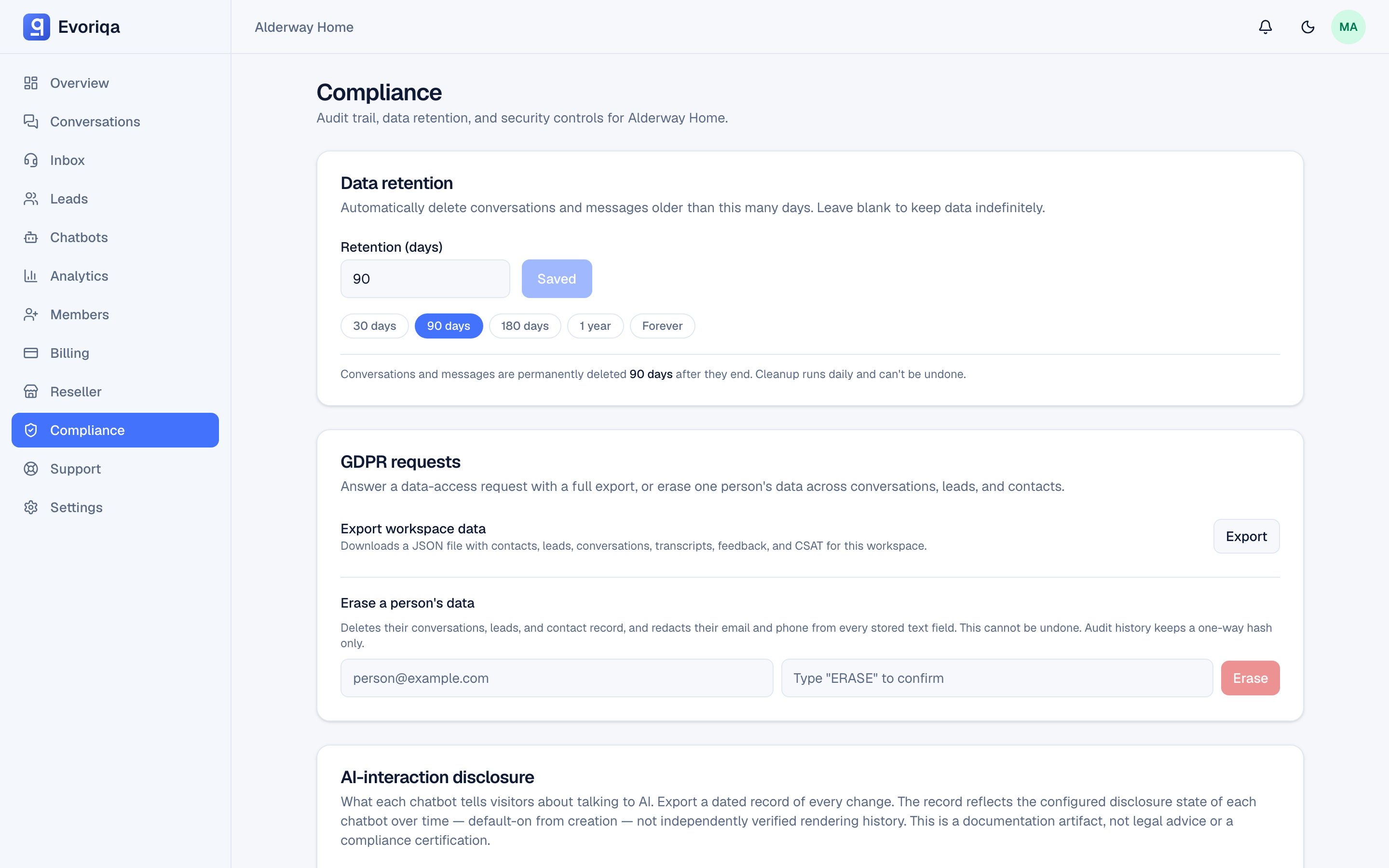
Purging is permanent and there is no undo. Export anything you need for records before shortening the window — see GDPR export.
Choosing a window
Set it to the shortest period that satisfies your own obligations. Common drivers: a privacy-policy commitment, a data-processing addendum with a customer, or a sector rule. If none apply, a window in months rather than years usually reflects how long a support transcript is genuinely useful.
Operational logs have their own 90-day cap
Three logs age out on a fixed 90-day ceiling of their own, whatever this setting says:
- Action runs — every agent tool run, including the details a visitor gave it (see Action runs).
- API request logs — method, path, status, latency, hashed IP.
- Webhook deliveries — the delivery attempts and their payloads.
The cap is a maximum, not a floor: if this workspace's retention window is shorter than 90 days, those rows go sooner. The viewers state the window in a tooltip, and each is exportable while it is still there.
Separate from account deletion
Deleting a user account follows its own timeline, not this setting:
- Access ends immediately — sessions revoked, owned workspaces frozen, and any live subscription cancelled.
- The tombstone row is kept for a retention window (90 days by default) and then permanently erased.
- An account that is removed from its last workspace and owns nothing is scheduled for deletion after a grace window (30 days by default), with an email notice. Creating a workspace or accepting an invite before then cancels it.
Those two windows are set for the deployment you are on, so confirm the exact numbers with Evoriqa support before quoting them in your own privacy policy.
Where to go next
Last updated