WhatsApp via Meta Cloud API
Connect WhatsApp with your own Meta app — a permanent token, the four fields explained, the verify-token handshake, media, the 24-hour window and receipts.
Three ways to connect WhatsApp, and this is the recommended one. The Meta Cloud API route uses your own Meta app: no per-message provider fee, and the app's name and branding are yours. The alternatives are the phone providers, which reuse one credential set with SMS and voice — WhatsApp via Telnyx and WhatsApp via Infobip. Follow one page, not several.
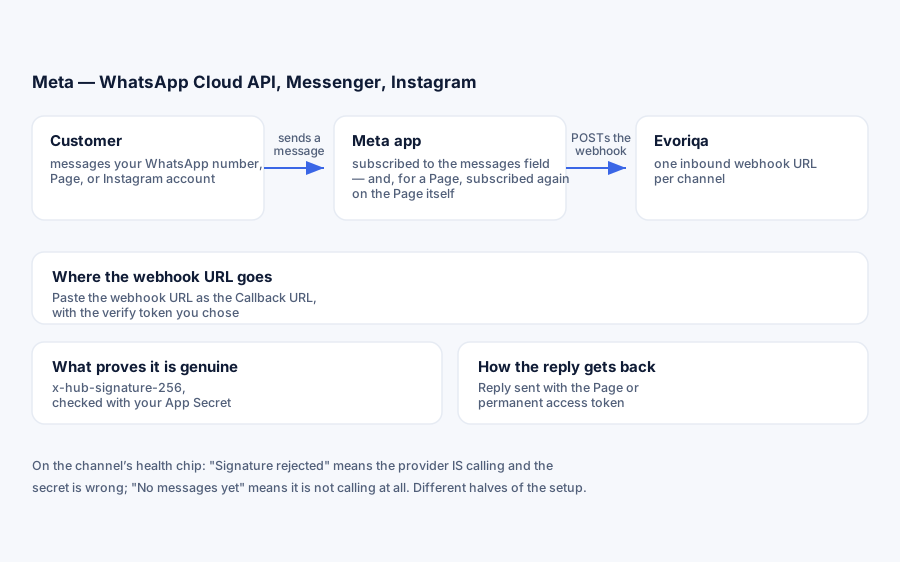
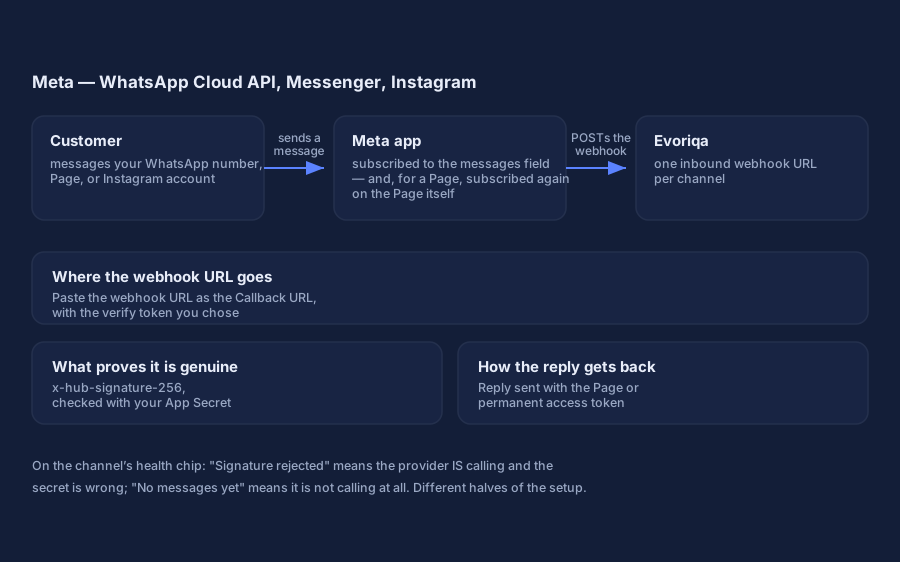
How the channel works
- 1Connecting the channel stores your Meta credentials encrypted and gives you one webhook URL of the form
https://…/api/channels/{channelId}/inbound. - 2You paste that URL into your Meta app as the WhatsApp Callback URL. Meta sends a one-time
GEThandshake carrying your verify token; the platform answers it automatically. - 3Every customer message is then POSTed to that URL, verified against your app secret (
X-Hub-Signature-256, an HMAC over the raw body), and turned into a conversation. - 4Replies go out through the Graph API (
/{phone-number-id}/messages) with your access token, and Meta's delivery and read receipts flow back on the same webhook.
What you need
A Meta developer app of type Business, with the WhatsApp product added and a phone number registered under it (WhatsApp → API Setup).
1. Generate a permanent token
The token on the API Setup page expires in 24 hours — fine for a first test, wrong for production. Create a permanent one:
- 1In
business.facebook.com→ Users → System users, create a system user. - 2Assign your app to it with full control.
- 3Generate token with the
whatsapp_business_messagingandwhatsapp_business_managementpermissions, expiry Never.
The platform never refreshes this token for you — that is why it must be a system-user token that never expires, not the API Setup one.
2. Connect the channel
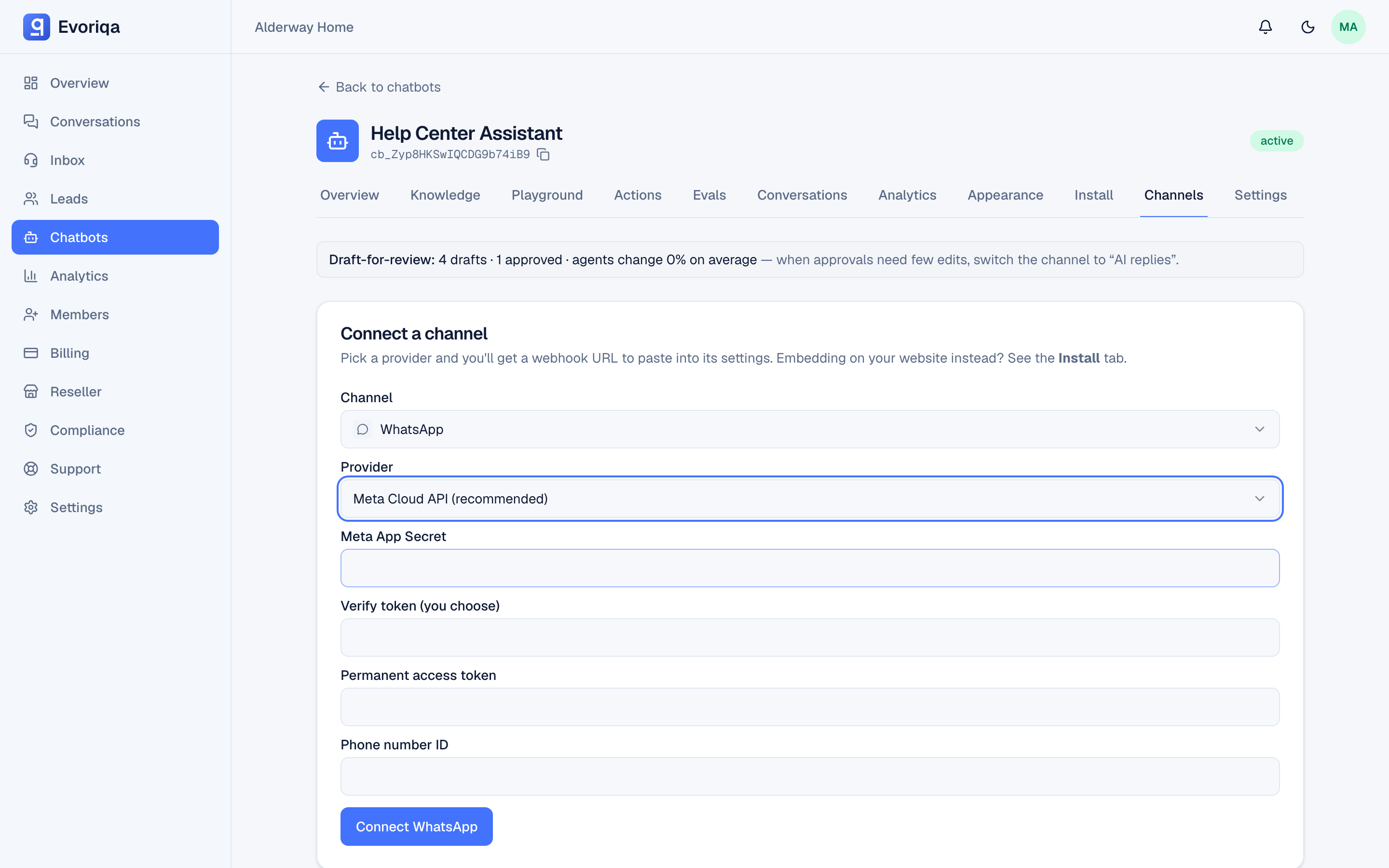
Add a WhatsApp channel with the Meta Cloud API provider and four values, all required:
| Field | Where it comes from | What it is used for |
|---|---|---|
| Meta App Secret | App → Settings → Basic | Verifying every inbound webhook's HMAC signature |
| Verify token | Any string you choose — you will paste the same one into Meta | Answering Meta's one-time GET handshake |
| Permanent access token | The system-user token from step 1 | Sending replies and resolving media |
| Phone number ID | WhatsApp → API Setup — the numeric id under the number, not the number itself | The Graph API send endpoint |
No WABA ID is needed — only the phone number ID. Copy the webhook URL shown after connecting. Credentials are stored encrypted.
In production, the connect call probes your credentials live — a Graph API lookup of the phone number ID with your token. A definitive credential error (bad token, wrong id) blocks the connect with the reason; a transient Meta outage does not.
Graph API version. The platform calls the Graph API at v26.0 by default. You normally never touch this; if Meta sunsets a version, a per-channel graphVersion override can be set via the API without reconnecting.
3. Point Meta at the webhook
In the Meta app: WhatsApp → Configuration → paste the webhook URL as the Callback URL, with the same verify token. The handshake is answered automatically — the platform checks that the token matches byte-for-byte and echoes Meta's challenge. Then subscribe the webhook to the messages field.
Delivery and read statuses events arrive on the same messages webhook — no extra field to subscribe — and sync to the inbox (see Delivery and read receipts below). Webhook fields other than messages are ignored, so over-subscribing does no harm.
Connect with the API
`POST /channels` replaces steps 2 and 3 for scripted setups. WhatsApp has three transports, so config.provider picks one — whatsapp_cloud is this page's route, and every listed key is required:
{
  "type": "whatsapp",
  "chatbotId": "3f2504e0-4f89-41d3-9a0c-0305e82c3301",
  "config": {
    "provider": "whatsapp_cloud",
    "appSecret": "8f1c…",
    "verifyToken": "my-verify-token",
    "accessToken": "EAAG…",
    "phoneNumberId": "109876543210987"
  }
}Omit provider and the call fails 422 with "Pick a provider for this channel." phoneNumberId is Meta's id for the number, not the number itself, and it is this channel's identity for the duplicate-number check. In production the token and phone-number id are verified against the Graph API before the channel is created. The response returns the inbound secret once; you still have to point Meta at the webhook yourself, as in step 3.
Verify it works
Message the WhatsApp number. The conversation should appear in the Inbox tagged WhatsApp, and the AI should reply. The channel's health chip narrates the state: No messages yet (Meta is not calling), Last message Xm ago (flowing), or Signature rejected (Meta is calling but the app secret is wrong).
What happens to an inbound message
- 1Verification — the
X-Hub-Signature-256header is recomputed from the raw body with your app secret and compared in constant time. A mismatch is403and stamps the health chip. - 2Text extraction — plain text, button replies, and interactive list/button selections all resolve to their visible text; media captions count as text too.
- 3Contact and threading — the sender's phone number links the thread to a contact; the message joins their open WhatsApp conversation on this chatbot or starts a new one. Each message id is remembered, so Meta's webhook retries never duplicate a message.
- 4AI reply — with AI replies on, the answer is generated after the webhook is acknowledged and sent as a free-form text message.
Media
Inbound image, video, audio, document, and sticker messages arrive as a Meta media id, resolved at ingest into a short-lived CDN link using your access token — download anything you need to keep. If a link cannot be resolved, the message still arrives with an attachment placeholder rather than being lost.
Outbound is text-only — replies from the inbox cannot carry attachments on WhatsApp; send a link instead.
AI replies and human handoff
WhatsApp honours the channel's AI replies toggle (on by default). On, the AI answers new inbound messages with the same grounded pipeline as the widget; a customer who asks for a person is escalated to the inbox wait queue with the fixed acknowledgement. Off, every new thread lands in the inbox flagged needs_human and nothing is auto-sent. A failed AI turn — credits, quota, provider error — degrades to the same queue rather than going silent.
The 24-hour window
Free-form replies must land inside WhatsApp's 24-hour customer-service window, which resets on each customer message. Outside it Meta refuses the send (error code 131047), and the platform stores the plain-language reason on the message: "Outside WhatsApp's 24-hour reply window — the customer must message you again before this can be delivered."
Evoriqa does not send template messages (HSMs) — there is no template sending or management in the platform, so a conversation that went cold cannot be re-opened from your side; the customer has to message again.
Delivery and read receipts
The Cloud API reports what happened to each reply, and those receipts flow both ways.
- In the inbox — every outbound Agent or AI reply carries its provider message id (the
wamid), so thesent → delivered → readreceipts land on that exact message: it shows a muted Delivered, then Read, hint beneath it. The ladder only moves forward — a late or reordered receipt can never downgrade a message. Afailedreceipt marks the message Not delivered with the provider's reason and a one-click Retry; a positive receipt arriving after a failure clears it. - For the customer — the moment an inbound message is ingested with AI replies on, the platform marks it read (blue ticks) and raises a typing… indicator, so the customer sees they were heard while the AI composes its reply. This is best-effort, needs no extra setup, and rides the same access token — a failure here never blocks the reply itself.
Read receipts and the typing indicator are Meta Cloud API only. The phone providers surface delivery receipts on the reply row — WhatsApp via Telnyx and WhatsApp via Infobip — but not read or typing indicators.
Formatting
Replies are normalised for WhatsApp before sending: markdown bold becomes WhatsApp's single-star *bold*, links become label: url, headings and code fences are stripped. Authors can write naturally; customers see clean WhatsApp-native text.
Limits
- Inbound webhook: 120 requests per minute per channel/IP; inbound body capped at 2 MiB.
- One phone number ID = one channel; connecting it twice shows a duplicate-number warning naming the other bot.
- A paused channel rejects new inbound but still delivers replies to open threads.
- Outbound: free-form text only — no templates, no attachments.
Troubleshooting
| Symptom | Cause |
|---|---|
| The URL couldn't be validated | The callback is not publicly reachable over HTTPS, or the verify token is not byte-identical |
| No messages yet after verifying | The webhook is not subscribed to the messages field |
| Signature rejected | Meta is delivering; the app secret on the channel is wrong |
| Connect fails with a credential error | The probe found a bad token or phone number ID — regenerate the system-user token |
| Sends stop working after a day | You used the 24-hour API Setup token instead of a permanent one |
| Not delivered, window reason | Outside the 24-hour window — the customer must message again |
Where to go next
Last updated