Branding and domain
Set your portal branding, put the portal on your own domain with two DNS records — HTTPS and logos on your domain — and send mail from your own provider.
White-label covers three separate things: the portal's look, the domain it runs on, and where its email comes from. Each is configured on its own, and all three require an active reseller plan. The organisation owner or a primary-workspace admin manages them.
The cleanup paths are the exception to the active-plan rule: brand Reset, logo removal, and domain removal stay available on a lapsed plan, so a downgraded org is never locked out of tidying up its own white-label.
Branding
Settings → Branding sets:
| Field | Effect |
|---|---|
| App name | The product name in the dashboard and in emails |
| Logo | Uploaded in the dashboard — no need to host it yourself |
| Primary colour | The accent across the portal |
| Email from name | The display name on transactional email |
| Email reply-to | The reply address |
| Support URL | Where your clients' help link goes |
| Powered by | Show or hide the badge |
The logo and colour render across the whole portal — the dashboard chrome and the pre-login pages — and emails already carry your logo. Once your portal is on a custom domain, those logo images are served from your own domain rather than a platform host, so neither the page source nor a branded email's image URLs reveal the underlying platform.
Reset clears the styling only: app name, logo, colours, and the badge go back to defaults. The custom domain, support URL, and email sender deliberately survive a reset, because they are operational wiring rather than styling — a reset never breaks a client's live domain or your mail deliverability.
Per-chatbot widget branding — colour, avatar, greeting, badge removal — is separate and set on each bot's Appearance tab.
Custom domain
Settings → Custom domain brands the portal on your own hostname:
- 1Claim the bare hostname, e.g.
support.acme.com. It becomespendingand the card shows the two DNS records to publish. - 2Publish both records at your DNS provider: a
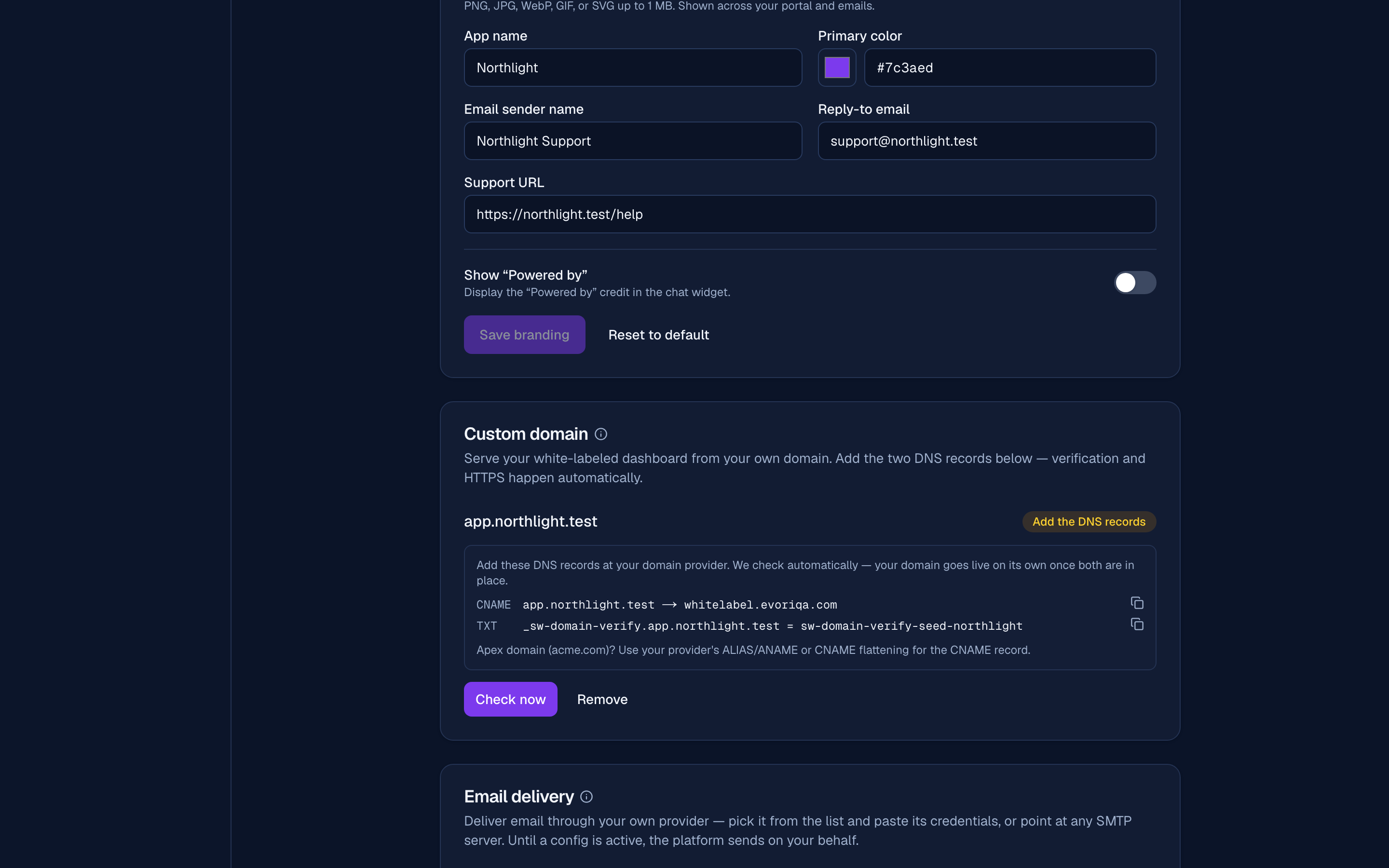
CNAMEfrom your hostname towhitelabel.evoriqa.com, and theTXTownership proof — host_sw-domain-verify.<your-domain>, value the token shown. Only a proven domain resolves to your brand, so a pending claim can never hijack another organisation's. - 3That's it. Evoriqa re-checks DNS every couple of minutes and the card walks itself from Add the DNS records to Issuing HTTPS… to Live — while only one record has landed, the badge names the missing one (Waiting for the TXT record / Verified — add the CNAME). The certificate is issued automatically, with no proxy or TLS work on your side.
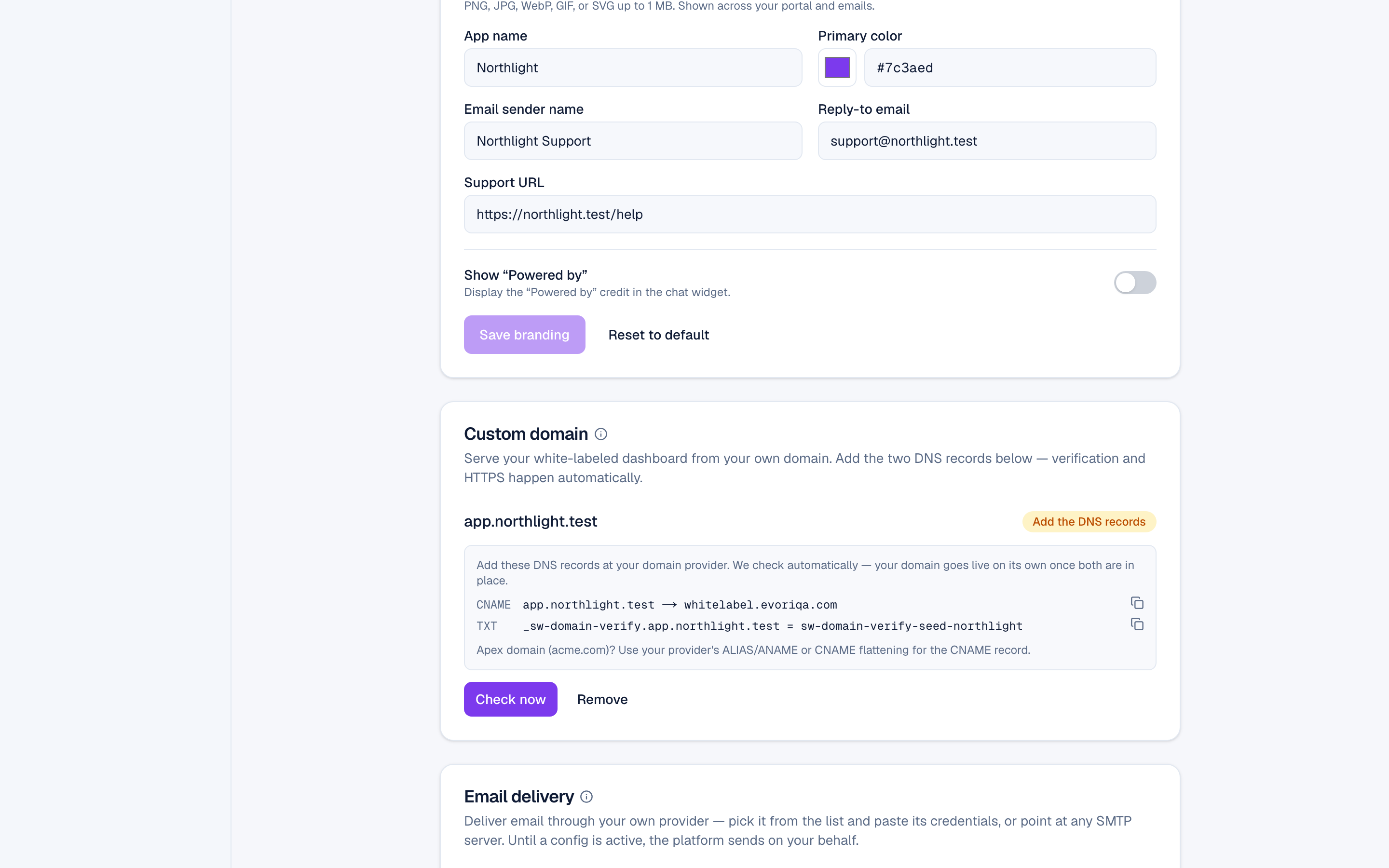
While a hostname is still pending or verifying, a visitor who reaches it sees a branded "domain being set up" page under your logo and name — not a bare platform 404 — so a client you've pointed at the domain early gets a holding page in your brand rather than an error.
Apex domains can't take a literal CNAME — use your provider's ALIAS/ANAME or CNAME flattening. Full detail, including what a custom domain does not change, is on Custom domains and the widget.
Once live, your clients' workspaces use the domain for their widget snippet, channel webhook URLs and email links. Your own workspace, and every email to you and your staff, keep app.evoriqa.com: your staff session lives there, and a link to the custom domain would open the client portal signed out.
A live domain serves invite-only auth: no "Sign up" link, and only accounts inside your organisation can sign in on it. Opening self-serve sign-up is a separate switch — see Client sign-up.
Email delivery
By default transactional mail — verification, invites, lead notifications, digests — is sent by the platform. Your name and reply-to are applied, but the From domain remains the platform's, because the envelope still leaves the platform's provider.
To remove it entirely, configure your own mail provider under the organisation's mail settings:
- 1Pick a provider preset — Resend, SendGrid, Mailgun, Postmark, Brevo, Mailjet, SparkPost, Amazon SES — and paste its credentials, or choose Custom SMTP. Credentials are encrypted at rest; custom hosts are vetted.
- 2Activate with a test send. Saving marks the config pending; a branded test email goes to the organisation owner and the config activates only if it succeeds. Up to 5 tests per hour.
- 3Configure SPF and DKIM for your sending domain at your provider.
Once active, every branded send routes through your provider and leaves from your address.
TLS is required on credentialed SMTP. Custom SMTP accepts the standard submission ports — 25, 465, 587, and 2525. On a credentialed STARTTLS port (587, 25, or 2525) the connection must upgrade to TLS: if the server strips the STARTTLS offer, the send fails rather than dropping to cleartext, so passwords and links are never sent in the clear. Port 465 is implicit TLS and needs nothing extra.
Delivery telemetry ends at the SMTP handshake — sent or failed. There is no bounce or complaint feedback, so monitor deliverability at your provider rather than in evoriqa. A lapsed reseller plan falls back to the platform sender rather than dropping mail.
Where to go next
- Set up from scratch — these steps in sequence, with the DNS records written out.
Last updated