Connect an email channel by forwarding a mailbox to its ingest address, pick a reply mode, and reply from the inbox when a thread needs a person.
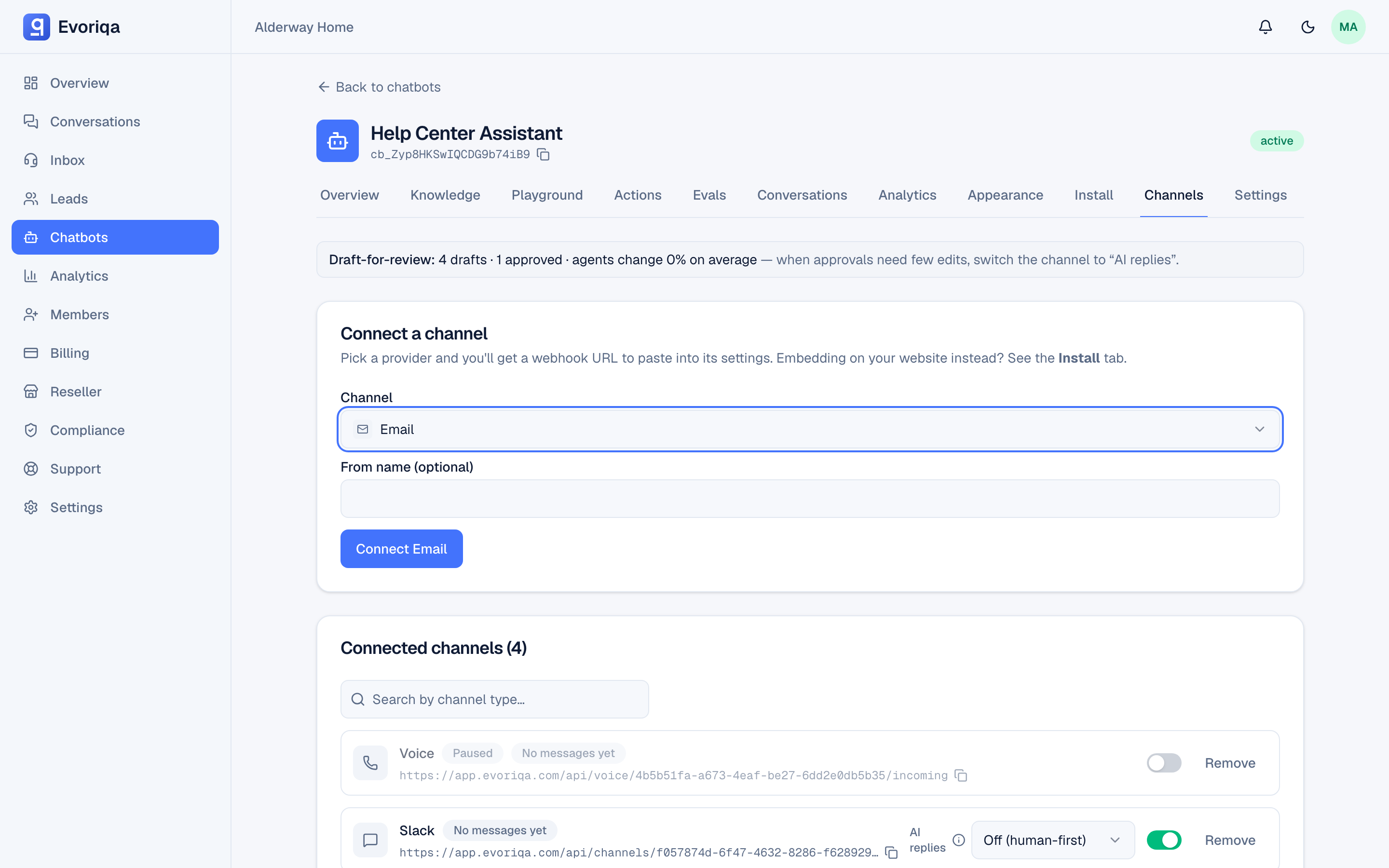
Email starts human-first: a newly connected email channel has AI replies Off, so an inbound email lands in the Inbox flagged needs_human and waits for a person. But you can turn the AI on — the email channel carries the same reply-mode dropdown as the chat channels (AI replies, Draft for review (shadow), Off (human-first)) on the chatbot's Channels tab. Email defaults to Off because a misfired auto-reply in an async medium costs more than a slower human one.
AI replies on email
The email channel carries the same reply-mode dropdown as the chat channels, on the chatbot's Channels tab:
| Mode | What happens to an inbound email |
|---|---|
| AI replies | The AI answers the mail directly with a knowledge-grounded reply. |
| Draft for review (shadow) | The AI drafts a reply into the inbox; a human edits and sends. Nothing is auto-sent. |
| Off (human-first) | Every new email goes straight to your team. The default for a newly connected email channel. |
A newly connected email channel starts on Off, and existing email channels were set to Off by a migration when this shipped — so nothing started auto-replying without the merchant choosing it. Switch the dropdown to AI replies (or Draft for review) when you're ready. Over the API, `PATCH /channels` sets replyMode (human_first, shadow, or autonomous), and `POST /channels` always creates an email channel human_first.
How an AI reply goes out
With AI replies on, the AI answers mail with the same knowledge-grounded turn it runs on every other channel: a plain-text reply, sent from the channel's configured from name and subject. There is no Re:/In-Reply-To threading yet — each reply is a fresh message carrying the channel subject.
A visitor who asks for a person gets the standard "connecting you with a member of our team" acknowledgement, and the thread moves to the inbox queue for a teammate. Draft for review stores the draft in the inbox and sends nothing.
The email loop guard
Email is the one channel with a loop guard, because auto-replies and bounce notices would otherwise ping-pong with the AI. Mail is never answered by the AI — it lands in the inbox human-first instead — when either is true:
- the sender's local-part is
noreply,no-reply,mailer-daemon,postmaster, or starts withbounce; or - the subject starts with Automatic reply, Auto-reply, Autoreply, Out of office, Undeliverable, Delivery Status Notification, or Mail delivery failed.
Detection matches the sender address and these English subject prefixes only; raw mail headers are not read.
Every AI-generated email carries Auto-Submitted: auto-replied and X-Auto-Response-Suppress: All, so a well-behaved mailer will not reply to it. Human agent replies carry neither header.
The hourly reply cap
One visitor address gets at most five AI replies an hour on email. The next mail from that address gets the acknowledgement and the thread moves to the human queue — and stays there, with no auto-resume. The cap is email-only; the messaging channels have no reply cap.
If the recipient is on the outbound suppression list, the AI answer is marked Not delivered and the thread is queued for a human.
What you need
A mailbox you can set auto-forwarding on, and a chatbot to attach the channel to.
Connect
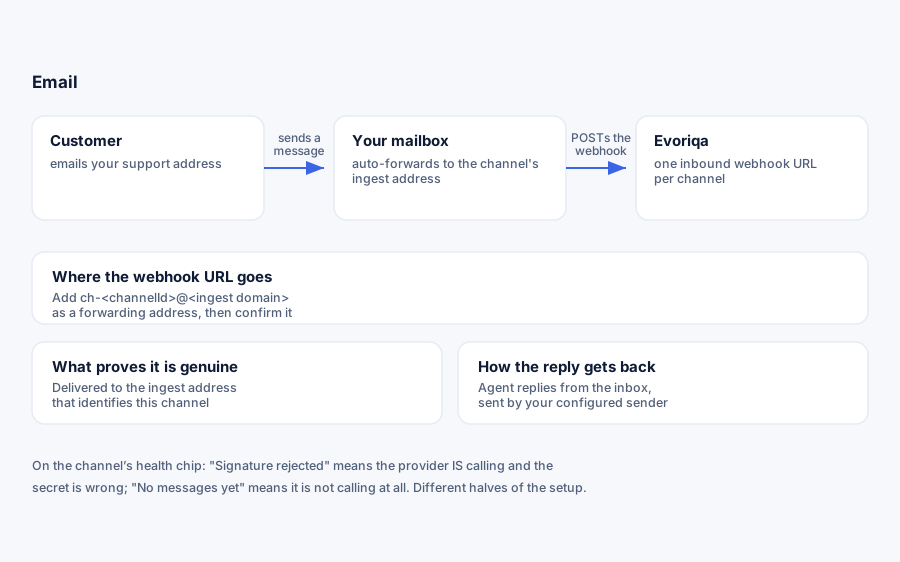
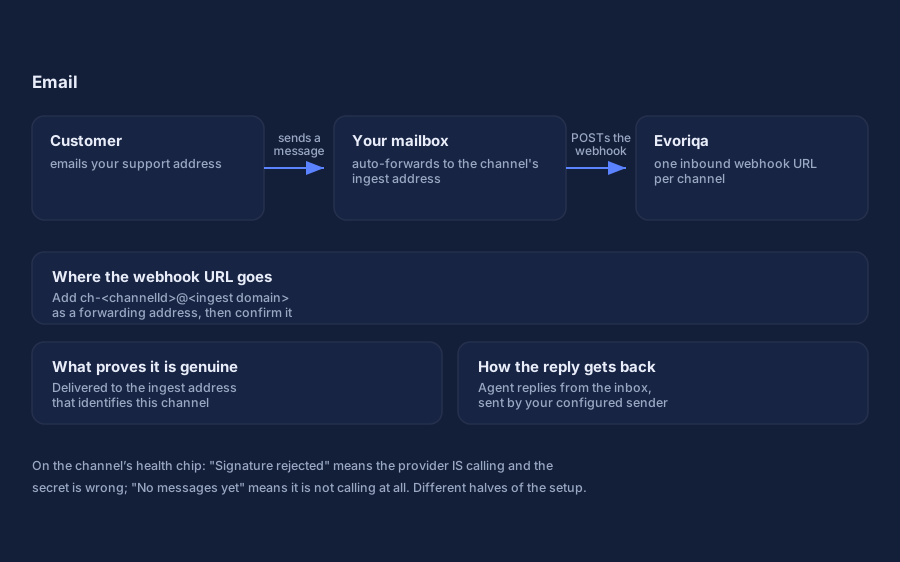
Add an Email channel on the chatbot's Channels tab. You are shown a forwarding address of the form:
ch-<channelId>@<your platform's ingest domain>Point your mailbox at it. With Gmail:
- 1Settings → Forwarding and POP/IMAP → Add a forwarding address, and paste the channel's ingest address.
- 2Gmail sends a confirmation email to that address. It arrives as a conversation in your Evoriqa inbox — open it and click the confirmation link, or copy the code back into Gmail.
- 3Turn forwarding on.
A mailbox can only forward to an email address, never to a URL. That is exactly what the ingest address is for. A raw per-channel webhook also exists for setups that already run their own mail parser: POST to the channel's webhook URL with an x-channel-secret header and a body of { "from": "...", "text": "...", "name": "...", "id": "..." }.
Inbound mail is deduplicated on the provider's message id, so a retried delivery does not create two conversations.
Connect with the API
`POST /channels` creates the channel and returns the inboundSecret — the x-channel-secret value for the raw webhook above. Email is one of the two types with no required credentials; config is optional and only shapes outbound replies:
{
  "type": "email",
  "chatbotId": "3f2504e0-4f89-41d3-9a0c-0305e82c3301",
  "config": {
    "fromName": "Northwind Support",
    "subject": "Re: your message"
  }
}Omit fromName and replies use the workspace's configured sender name; omit subject and they go out as "Reply from support". You still have to set up forwarding to the ingest address yourself — the API does not do that step.
Verify it works
Send an email to the mailbox you forwarded. Within a moment it should appear in the inbox as a waiting conversation, tagged as email, with the sender's address.
Replying
Agents reply from the inbox and the reply goes out through your workspace's configured sender. The channel's from name overrides the display name, so mail can appear to come from your brand rather than the platform's. You can also set an optional Reply-to address in the channel settings, validated as an email address on connect and edit. Leave it blank and no Reply-To is set, so the customer's answer threads back to the channel's ingest address.
Attachments are supported on email replies — up to five files per message. See Claim and reply.
Troubleshooting
| Symptom | Check |
|---|---|
| No messages yet on the health chip | Forwarding is not on, or the confirmation step was never completed |
| Confirmation email never seen | It arrives as a conversation in your Evoriqa inbox, not in your mailbox |
| Mail arrives twice | Two forwards point at the same channel |
| Replies not arriving to the customer | The workspace's outbound sender is not configured |
| The AI isn't replying to customers | The channel's reply mode is Off (the default) or Draft for review — switch it to AI replies on the Channels tab |
| An auto-reply / out-of-office wasn't answered | Expected — automated senders and auto-reply subjects are routed human-first and never get an AI turn |
| A customer stopped getting AI answers after a few | They hit the hourly reply cap (5 AI emails/hour); further mail goes to the human queue and does not auto-resume |
If no ingest address is shown when you connect the channel, inbound email is not configured for your account yet — contact Evoriqa support, or your provider if you are a client of an agency.
Where to go next
Last updated