Blocked topics
List the subjects the chatbot should decline, set your own refusal wording, and understand what best-effort AI enforcement does and does not guarantee.
Blocked topics are subjects you would rather the chatbot never engage with — competitor pricing, legal advice, medical questions, anything off-limits for your brand. You list them per chatbot and, when a visitor raises one, the bot declines instead of answering.
It is a guardrail, not a filter. Read What it can and cannot promise before you rely on it for anything with legal or safety weight.
Setting it up
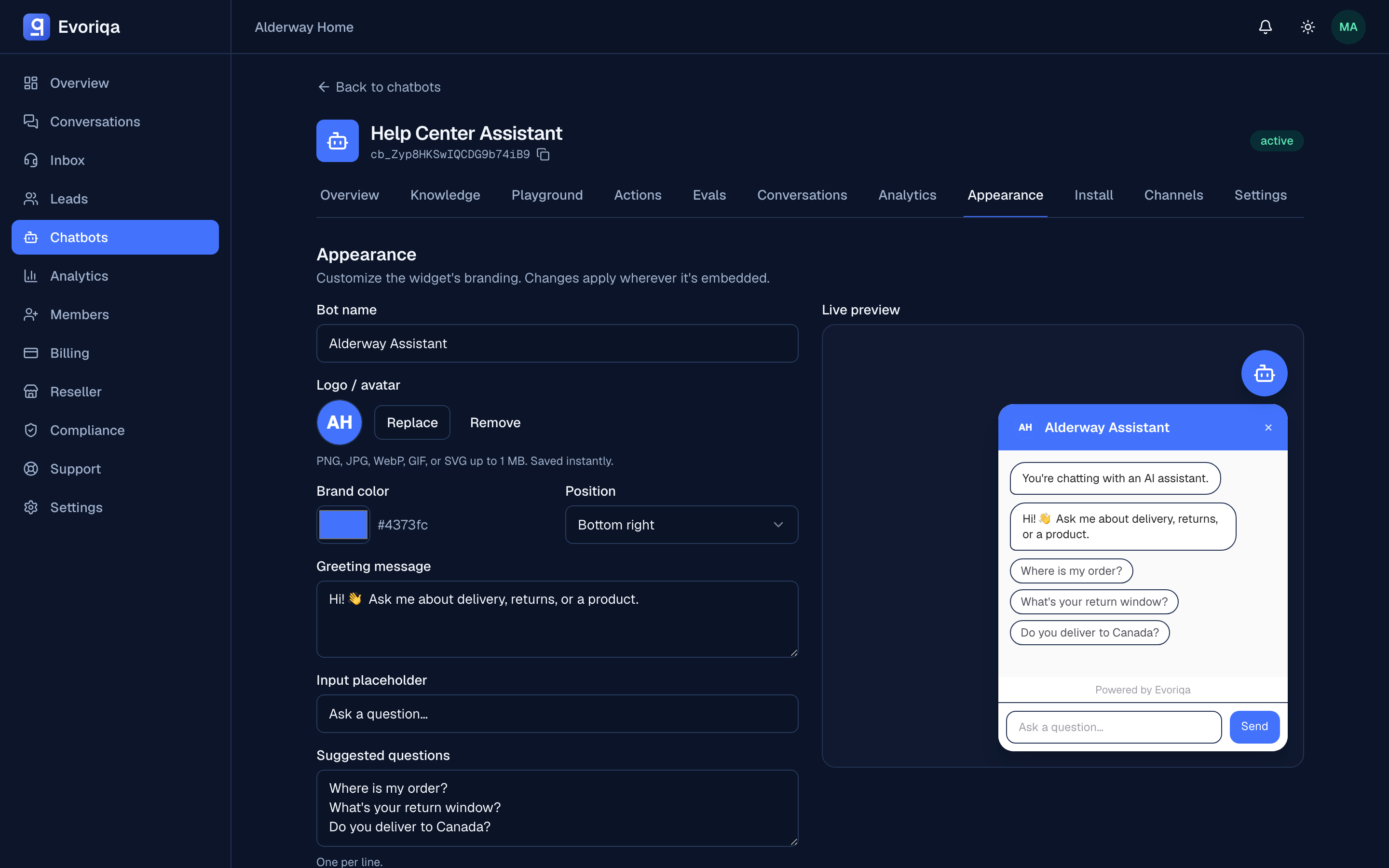
Per chatbot, on the Appearance tab, in the Blocked topics box:
| Field | What to put there | Limit |
|---|---|---|
| Blocked topics | One topic per line — a short phrase, not a sentence | Up to 25, ≤ 120 chars each |
| Refusal message | The exact reply the bot gives when a topic comes up. Optional | ≤ 300 chars |
competitor pricing
legal advice
medical dosing questionsLeave the refusal message blank and the bot falls back to its fallback message — the same wording it uses when it finds no answer (see Grounding and "I don't know"). Fill it in when a blocked topic deserves a different, more deliberate response:
I can't advise on that. For anything about your contract, please email
legal@acme.com and a person will help.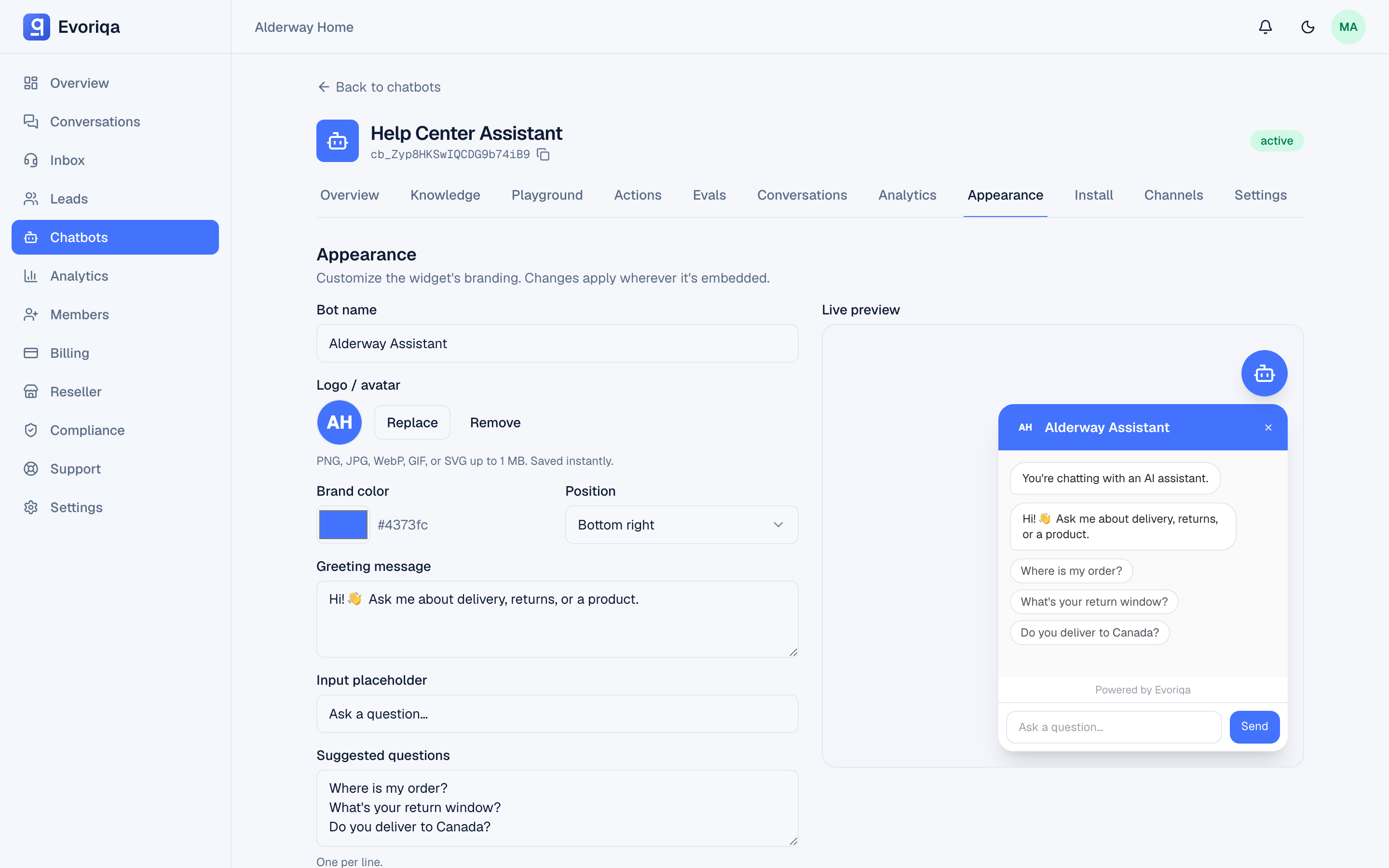
It applies to every channel
The list is a property of the chatbot, not of one surface. It holds the same whether the visitor is in the web widget, on WhatsApp, Messenger, Instagram, Slack, or SMS, or on a voice call. Set it once; every channel the chatbot answers on inherits it.
What it can and cannot promise
The bot is instructed to decline your listed topics — the list is written into its system prompt, right alongside its security rules. That is AI enforcement, and it is best-effort. The dashboard labels it exactly that way, and so do we:
- It is not a hard filter. There is no separate classifier inspecting each message and blocking it before the model runs. A visitor who phrases a blocked subject in an unusual or oblique way may still get a substantive answer.
- It works best on clear, nameable subjects ("competitor pricing", "tax advice") rather than fuzzy ones ("anything risky").
- It shapes what the bot will discuss. It does not remove information from your knowledge base — if a fact must never be said, the reliable move is to not put it in the knowledge base in the first place.
For a subject where a wrong answer carries legal or safety consequences, treat blocked topics as one layer, not the whole defence. Pair it with a narrow knowledge base and, where it matters, human handoff or shadow mode so a person sees the reply before it goes out.
How it relates to the prompt-injection guard
The two features protect different things and work together.
The prompt-injection guard stops retrieved content from hijacking the bot: anything pulled from your knowledge base is fenced off as untrusted reference data, so a crawled page that says "ignore your instructions" carries no authority. See Model and tone.
Your blocked topics sit on the trusted side of that fence, next to the security rules, so they are not something a visitor's message or a crawled page can talk the bot out of. The topics and your refusal wording are themselves scrubbed of any structural markup before they go into the prompt, so a topic string can never be used to smuggle in instructions of its own.
Setting it over the API
Blocked topics are part of the widget settings, so the same appearance write that saves colours and greeting also saves them. Send them inside the settings object with a chatbots:write key:
{
  "settings": {
    "blockedTopics": ["competitor pricing", "legal advice"],
    "refusalMessage": "I can't help with that — please contact our team."
  }
}Send "refusalMessage": null (or omit it) to fall back to the fallback message, and "blockedTopics": [] to clear the list.
Where to go next
- AI disclosure — the other trust guardrail on the same tab
- Grounding and "I don't know" — the fallback the refusal reuses
- Shadow mode — put a human in front of the bot's replies
Last updated