What is Evoriqa?
A white-label, multi-tenant AI customer-support platform: one trained agent answering across your website, messaging apps, email, and a phone line.
Evoriqa is a white-label, multi-tenant AI customer-support platform. A workspace uploads its knowledge base, brands a chat widget, embeds it anywhere, and connects the same AI agent to every channel its customers use — with human handoff and credit-metered billing built in.
The promise is one agent, every channel: the same trained assistant answers on your website, WhatsApp, Messenger, Instagram, Slack, SMS, and a phone voice line, so a customer gets the same answer wherever they reach you. Every messaging channel carries a reply-mode control — AI replies, draft-for-review, or human-first — and email carries it too, starting human-first until you turn the AI on. See Channels overview.
What it does
- Answers from your knowledge base. Replies are grounded in the content you provide. When nothing relevant is found the agent returns a deterministic fallback instead of guessing, so it does not invent answers.
- Works on every channel. One agent serves the embeddable web widget, WhatsApp, Messenger, Instagram, Slack, SMS, email, and a phone voice line — answering directly on each, with email starting human-first until you opt it into AI replies.
- Speaks the visitor's language. Out of the box the agent replies in whatever language a visitor writes in, and the widget's own interface and default opening copy follow along — 32 languages, right-to-left ones included. See Languages.
- Takes actions, not just Q&A. During a live conversation the agent can look up an order, capture a lead, escalate to a human, or book an appointment in an in-chat calendar — with an optional persistent "Book a meeting" chip so visitors can open it any time. Write actions such as creating a support ticket — and API-mode bookings — are read back and confirmed before they run.
- Hands off to a human. Conversations can be escalated to an agent inbox for live takeover, and the transcript and history come with them.
- Bills by usage. Paid plans meter AI usage as credits across chat, voice, and actions; when a workspace runs out, visitors see a friendly "assistant is unavailable" message rather than a billing error, and human handoff still works.
What it replaces
- A static FAQ page that nobody reads and that answers only the question it was written for. The same content, indexed, answers the question the customer actually asked.
- A shared support inbox where every message waits for a human. Routine questions are answered immediately and only the rest reach a person, with the transcript attached.
- An after-hours voicemail. The agent answers on chat, messaging, and a phone voice line at any hour, and escalates what it should not handle.
The four surfaces you work with
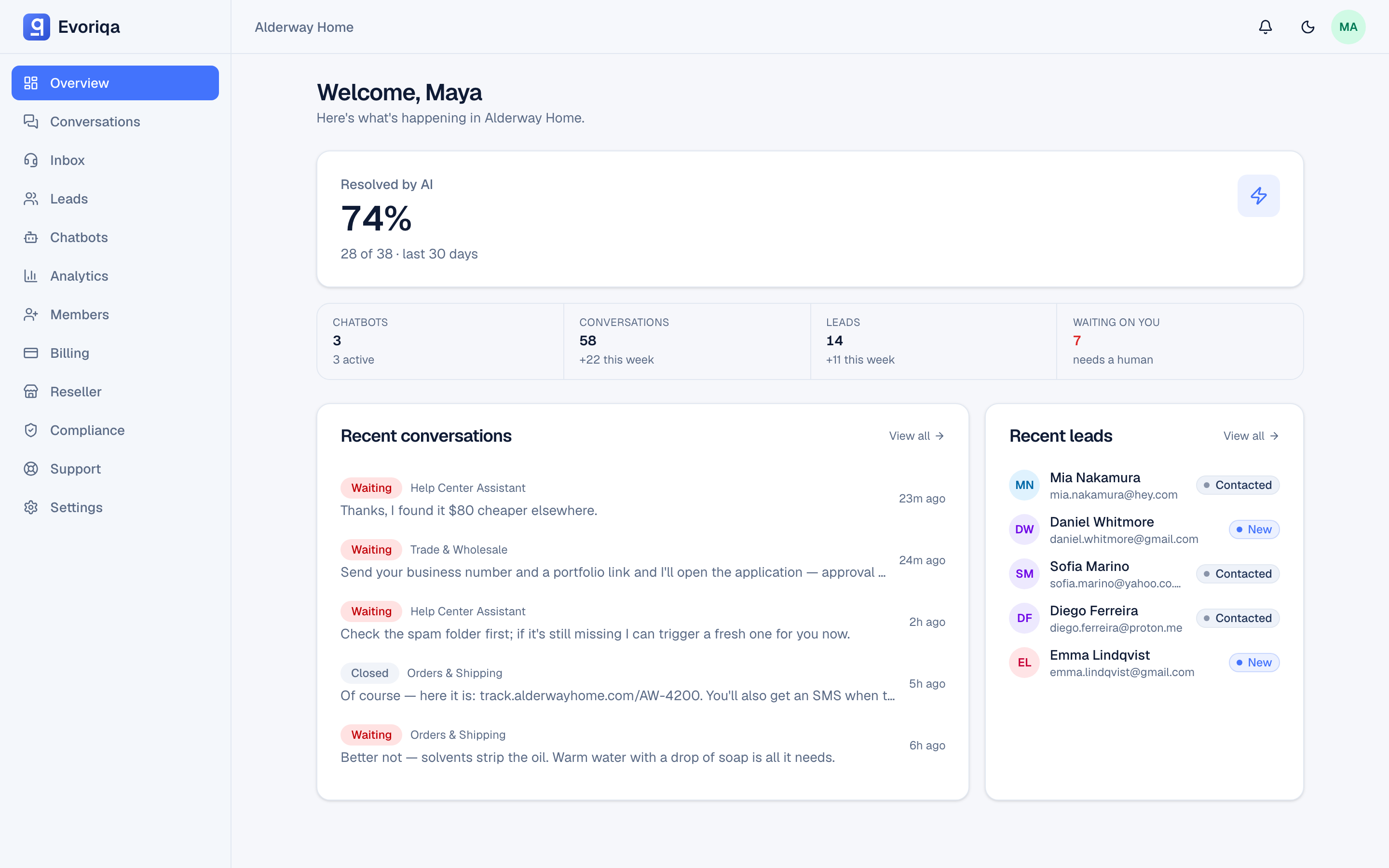
- The dashboard at
app.evoriqa.com— where you create chatbots, manage the knowledge base, configure channels, and read analytics. - The widget — the chat bubble, or an inline AI search bar, that you embed on your site with one script tag.
- The unified inbox — every conversation from every channel in one list, where your team claims threads and replies as humans.
- The channels — WhatsApp, Messenger, Instagram, Slack, SMS, email, and a phone voice line, each connected to the same trained agent.
Who it is for
Evoriqa serves two audiences with one product:
- Support teams — owners and agents running their own chatbot workspace: training the AI on their knowledge base, watching conversations, and stepping in on escalations.
- Agencies and resellers — white-label partners who manage many client workspaces, allocate credits from a shared pool, and run it all under their own brand.
Evoriqa is white-label by design: its own chrome stays neutral so your brand — widget theming and reseller branding — carries the colour.
Where to go next
- Follow the Quickstart to create a chatbot, train it, and put a live widget on your site.
- Read Core concepts to learn the vocabulary — organisations, workspaces, chatbots, conversations, leads, contacts, credits, and plans — that the rest of the docs assume.
- Open Channels overview to connect the same agent to WhatsApp, Messenger, Instagram, Slack, SMS, email, and phone.
Last updated