Pooled credits and caps
How the shared credit pool is funded, how allocation to a client works, why an idempotency key is required, and how per-client caps protect your margin.
All your clients' AI usage is funded from one pool held by your organisation. Your reseller plan tops it up; you hand out portions of it.
Funding the pool
Each paid reseller invoice grants that tier's pooled credits to your organisation. An annual prepay is paced monthly — one month's pool lands on each monthly anniversary, not the whole year at once. Cancelling clears the plan and drops seats to zero, but the pool balance remains until spent.
Pool credit does not roll over. Each pool month, just before the new grant lands, forfeits the pool's own remainder and sweeps back the unspent hand-allocated credit still sitting on your ad-hoc-funded clients — then the month is granted. A client's purchased top-up packs are never swept, and a client on one of your BYO Stripe plans is reset by its own invoice, not this pool sweep. Your own top-up packs (below) are exempt from the sweep too, in the pool and on any client you've allocated one to — a pack survives every pool month exactly.
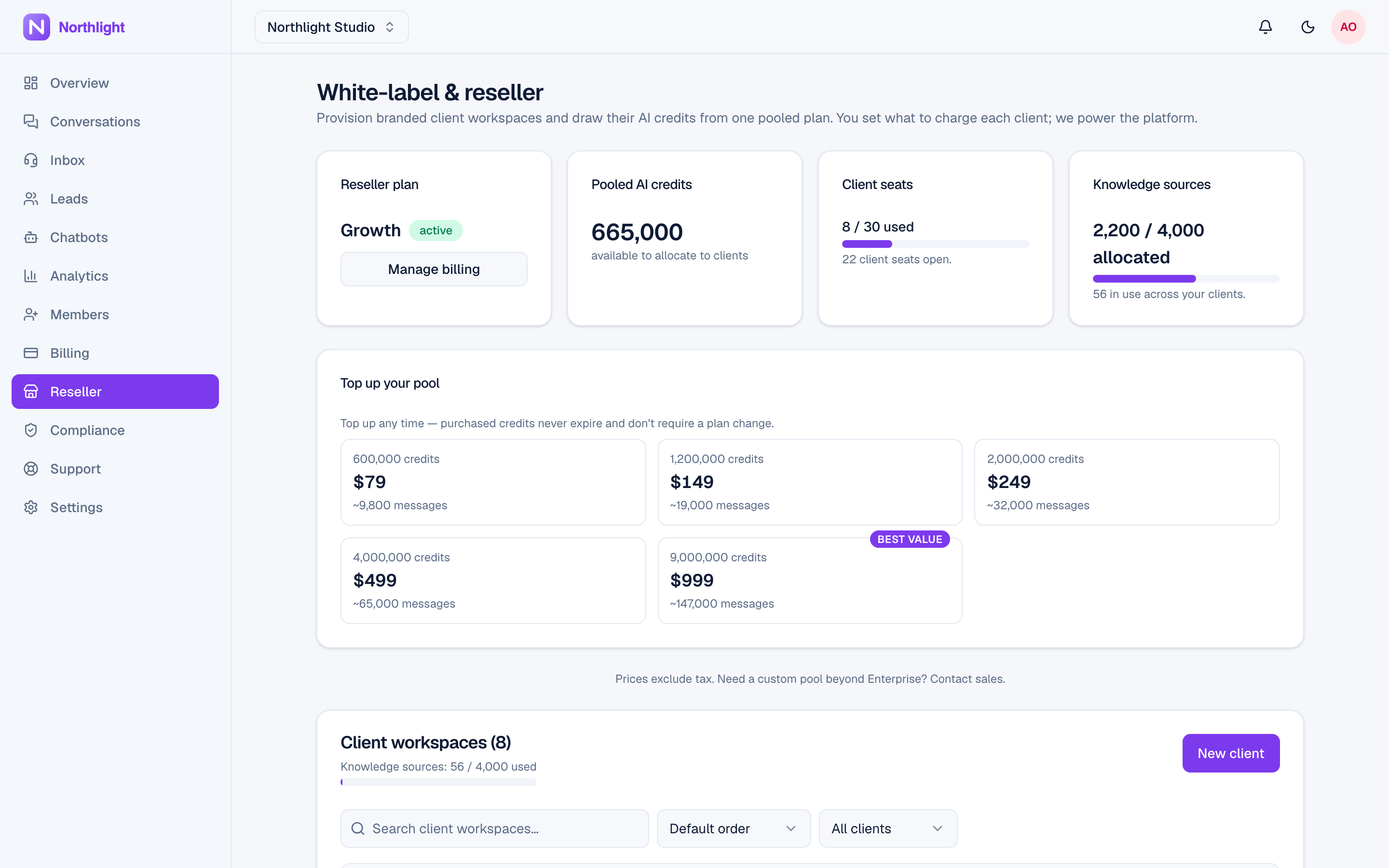
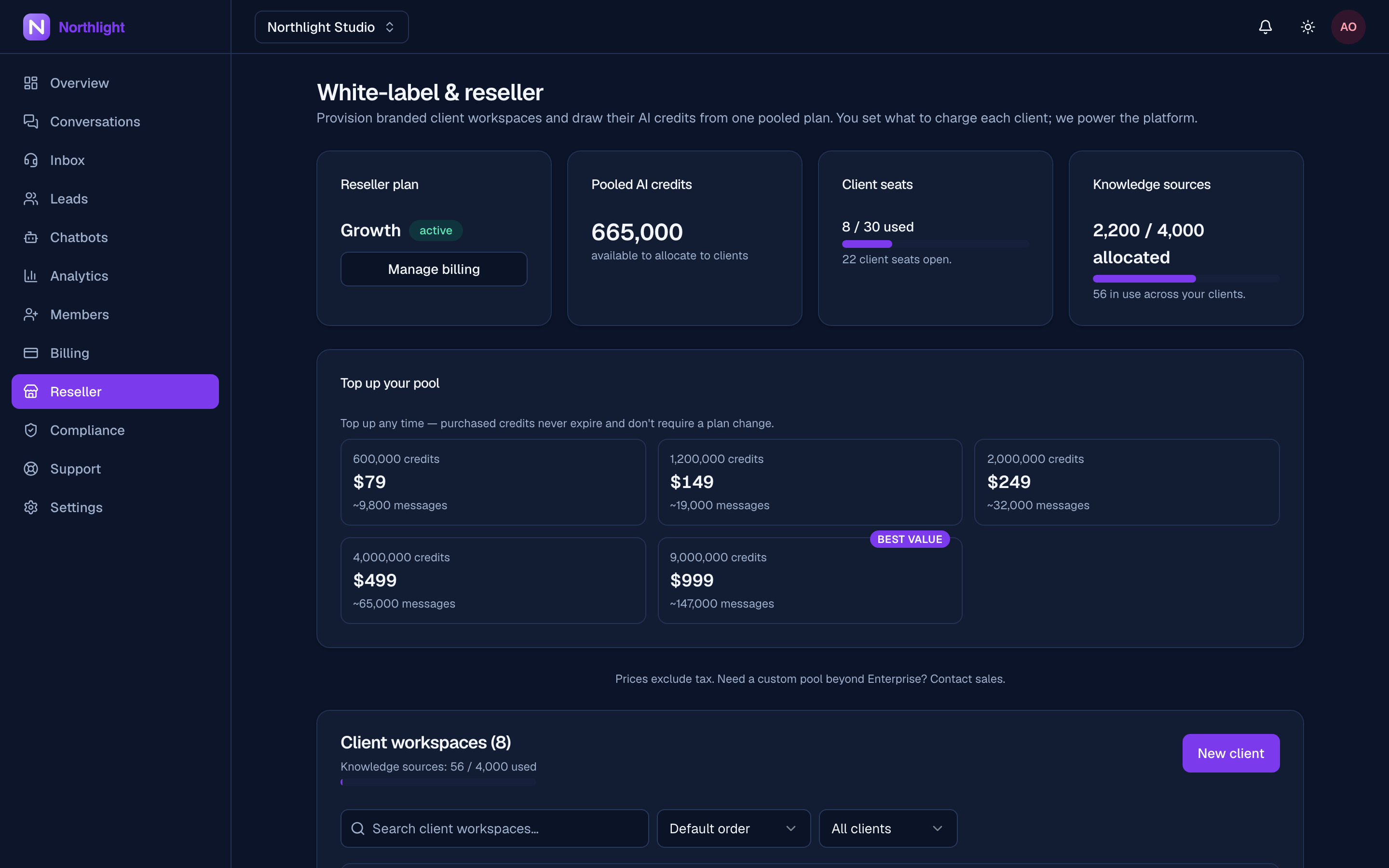
The reseller panel shows the pool balance and seats used against total.
A lapsed reseller plan keeps your read views but returns 403 on every client-management write — allocating, reclaiming, editing limits, and deleting a client all require an active plan. Re-subscribe to restore them.
Top-up packs
Buy pool credit without changing tier, from a "Top up your pool" card on your reseller page — the pool's answer to a direct customer's credit pack.
- Owner-only, active plan required. Only the organisation owner can buy, matching who can subscribe or upgrade.
- Set by the platform. Packs come from a pack catalog the platform manages. They launched at your reseller tiers' prices and credit amounts, and can change independently of the tiers. Every active pack is offered no matter which tier you're currently on; if none are offered, the card is hidden.
- May be limited per month. The platform can cap how many packs your organisation buys per calendar month (UTC). When a limit applies the card shows how many are left this month, and at zero it stays disabled until the 1st.
- Checkout opens in a new tab. Stripe opens alongside your dashboard; when you come back, the pool figure has already refreshed.
- Never expires, in the pool or on a client. Unlike your tier's monthly pooled credits, a top-up pack survives every pool month and every ad-hoc sweep exactly, and stays exempt on a client — whether you hand-allocate it or it covers a BYO-billed client's plan, where it also survives their renewal.
- Allocation draws plan credit first. Allocating to a client spends your tier's monthly credit before it touches a top-up pack, so the pack outlasts as many renewals as possible.
- Settles open shortfalls immediately. Buying a pack also covers any client still short on their BYO-billed plan allocation the moment it lands.
- Refunds match the source. A pack refund or chargeback claws back only pack credit — your pool's first, then any allocated to clients — never a client's own purchased pack or their plan credit; a won dispute restores exactly what it took.
Allocating to a client
In a client's row, enter an amount and choose Allocate. That:
- 1debits your pool,
- 2credits the client's workspace,
- 3and switches credit metering on for that client, so the credits are actually consumed by their chatbots.
Allocation is blocked when the pool is too low — raise your tier or buy a top-up pack (above) to top up. Allocations must be at least 1,000 credits (reclaim, below, is exempt), and each one writes an Allocated pooled credits to a client row on the client's own audit timeline.
An idempotency key is required on every allocation. The dashboard supplies one; a direct API call must send Idempotency-Key (or an idempotencyKey body field, 8–128 characters). Without one the request is refused:
An idempotency key is required for credit allocations.That requirement exists so a retried request can never double-debit your pool.
Reclaiming credit
Take unspent credit back off a client and into your pool from the same row — a negative amount on the same endpoint, or the dialog's Reclaim toggle. Your pool month already sweeps unspent hand-allocations back automatically at each renewal, so reclaim is for taking credit back mid-month.
- The ceiling is what the client holds from your pool. The reclaimable figure is the client's pool-sourced balance, net of earlier reclaims and of refund/chargeback reversals, minus any open holds (an in-flight AI turn's reservation is never pulled out from under it). The client row shows this figure and the dialog caps its input to it.
- A client's own purchased packs are never swept into your pool.
- Reclaim pulls the client's plan credit first, then any provider-pack credit you've allocated them, before it can ever reach a client's own pack.
- Reclaiming more than that is refused 422, naming the exact maximum (
You can reclaim at most N credits from this client right now.). With nothing reclaimable you get 422 (`Nothing to reclaim — the client has no unspent
allocation.`).
- Reclaim is idempotent per key, exactly like Allocate: a replay pulls nothing and returns the stored figures.
Per-client spend caps
Set a monthly credit cap per client so no single client can burn the pool. Leave it blank to clear the cap.
The cap floors at 1,000 — a value below it (including 0) is rejected, and a client left with a legacy zero cap shows "AI paused (cap 0)" rather than being editable back to zero. A positive cap on a client that is not credit-metered is refused 422 — nothing would enforce it, so it would only mislead you.
The cap also gates knowledge-source ingestion: a source ingested while the client is over its monthly cap is marked Failed with —
This workspace hit its monthly AI spend cap — raise the cap, then reprocess the source.— and needs a manual Reprocess once the cap has room; it is not auto-retried when the month rolls over. Purchased top-up packs lift this gate the same way they lift conversational spend.
A cap is the difference between a busy client and a runaway one. Set caps proportional to what each client pays you, and revisit them when you change a client's price.
When a client runs out
The client's assistant pauses for visitors with a friendly message, and human handoff keeps working — see Credits and top-ups for exactly what a visitor sees. "Out" means under one reply's 50-credit reserve, not only zero. You see an AI paused badge next to that client's balance on the Clients list; the client sees a banner on its Overview and Channels pages telling it to contact you; its channel messages go to its team inbox with a line saying why. Resolve it by allocating more from the pool, topping the pool up with a pack, or raising your tier. Channel conversations the pause handed over go back to the AI on the customer's next message, unless an agent has taken them.
Because burn alerts follow the pooled grant, you get the same 50/80/100% ladder against the pool that a direct customer gets against their allowance.
Margin in practice
You charge each client what their support is worth, draw all of their usage from one flat-fee pool, and keep the difference. Credits are metered to real provider cost with a floor, so a pooled tier's included usage stays below its fee. The per-client caps are what keep that arithmetic true when one client's volume spikes.
Where to go next
Last updated