Reindexing and freshness
Reprocess one source, reindex a whole chatbot, set a re-crawl cadence, inspect the chunks a source produced, and read the Stale badge.
Content changes. These are the four controls that keep what the chatbot knows in step with what is true.
Reprocess one source
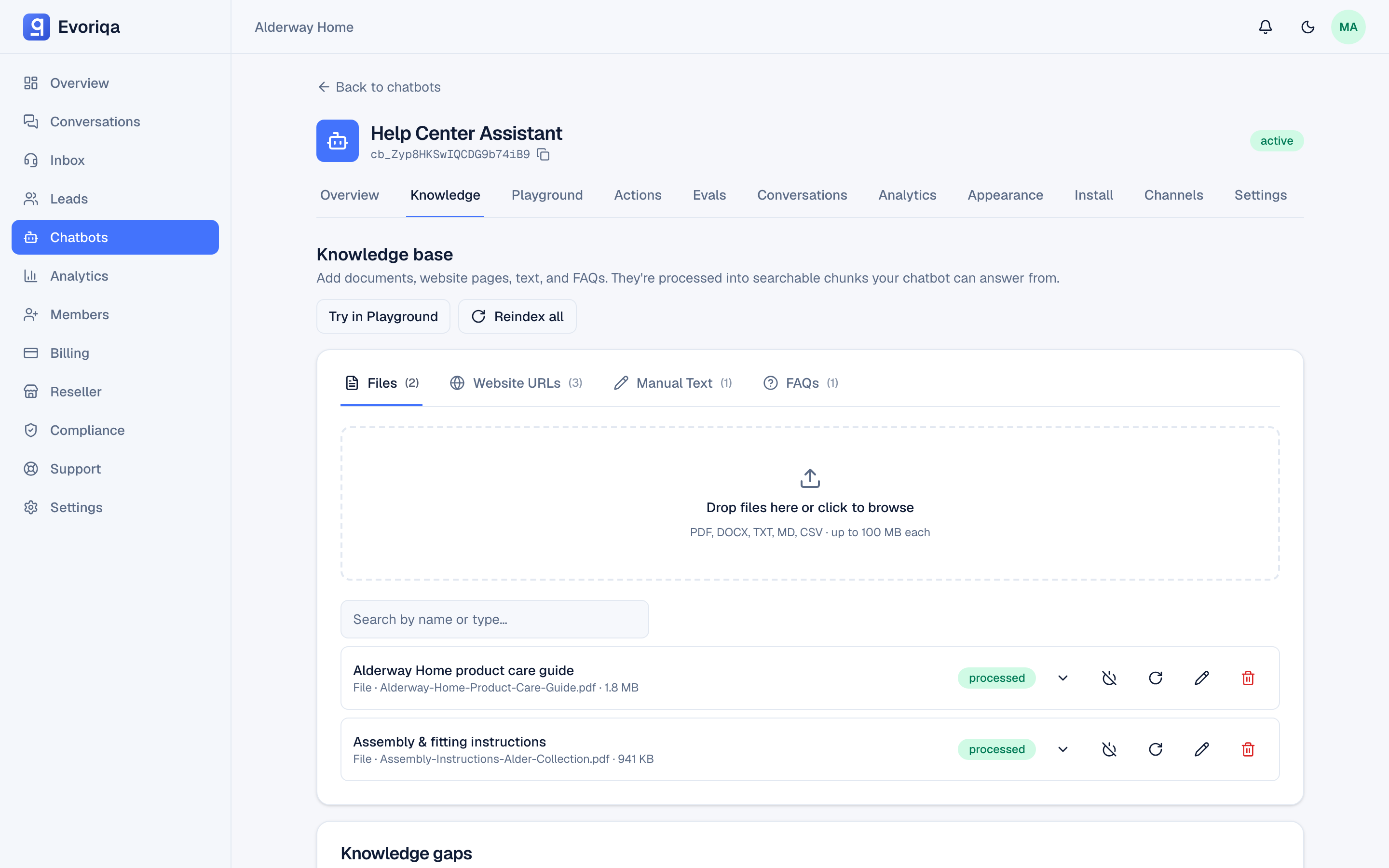
Reprocess puts a single source back through extract → chunk → embed. Use it when a source shows failed, when a URL's page changed and you do not want to wait for the schedule, or after you edit manual or FAQ text.
Reprocessing a disabled source re-enables it, so it has to pass the same plan-limit check as switching it back on. If you are at your source limit, the reprocess is refused until you free a slot.
A rename or re-category is free. Editing only a source's title or category is a metadata change — the source keeps its chunks and is not re-embedded, so it spends no credits and its status is untouched. Editing the text of a manual or FAQ source is what puts it back to processing for a fresh embed.
Reindex the whole chatbot
Reindex queues every source on the chatbot for reprocessing. It is the right move after a large content change, or when answers look wrong across the board rather than on one topic.
It is also the slow option: a chatbot with many large sources takes a while, and each source is re-embedded. Reprocess the one source you changed when you can.
Enable and disable a source
The per-source toggle takes a source out of retrieval without deleting it. A disabled source:
- is never used to answer,
- does not count against your plan's knowledge-source limit,
- keeps its content, so re-enabling is instant.
That makes disable the right tool for seasonal content, and for fitting an existing knowledge base into a smaller plan. Re-enabling runs the limit check.
Scheduled re-crawl for URL sources
Each URL source re-crawls on its own cadence — daily, weekly, monthly, or off. The default is weekly. An hourly scan picks up only the sources that are actually due, so a monthly source is not touched 30 times.
Two details make re-crawls cheap:
- Content-hash diffing. If the page's content has not changed, the source is not re-embedded.
- Forced re-embed on a model change. If the embedding model changed, chunks are re-embedded even when the content is identical, so old-model chunks never fall out of search.
The Stale badge
A URL source shows Stale when it was last crawled more than a week ago — the same interval as the default cadence. The knowledge list also shows "crawled Xd ago" per source.
A source set to a monthly cadence will therefore wear a Stale badge for most of its cycle. That is the badge doing its job: it reports the age of the content, not a misconfiguration.
Inspecting chunks
Open a source and choose View chunks to see the passages the pipeline produced. This is the fastest way to diagnose a bad answer at the source:
- No chunks at all — extraction found no text. Common with scanned PDFs and JavaScript-rendered pages.
- Chunks full of navigation and boilerplate — the page's real content is thin; paste the useful part as manual text instead.
- The right text is there but never retrieved — that is a retrieval problem, not a knowledge one. See How retrieval works.
Where to go next
Last updated